2 Channel USB Relay Module

Weight: 0.4 lb.


$29.95
USD


In Stock and Ready To Ship
Within 24 Hours

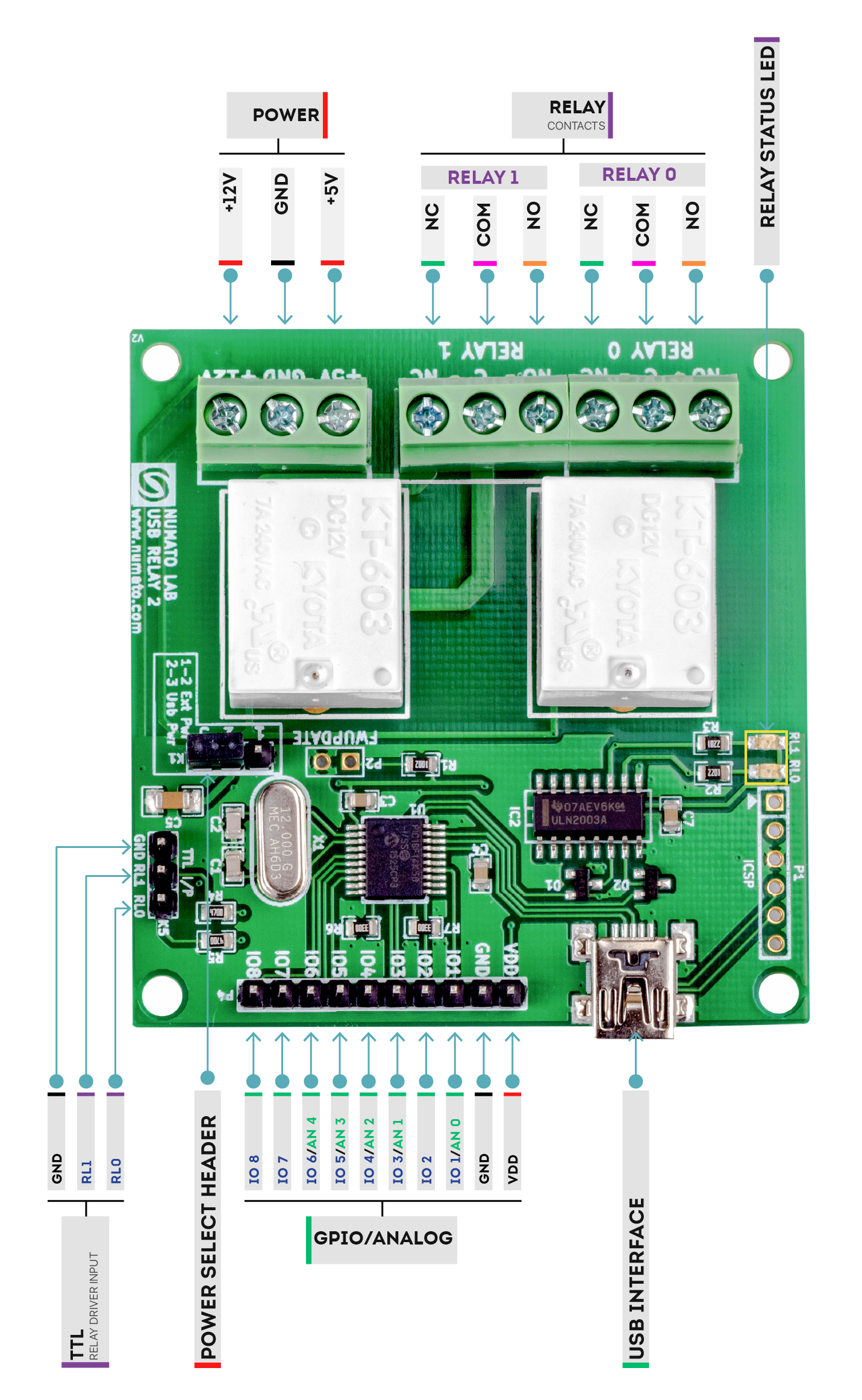
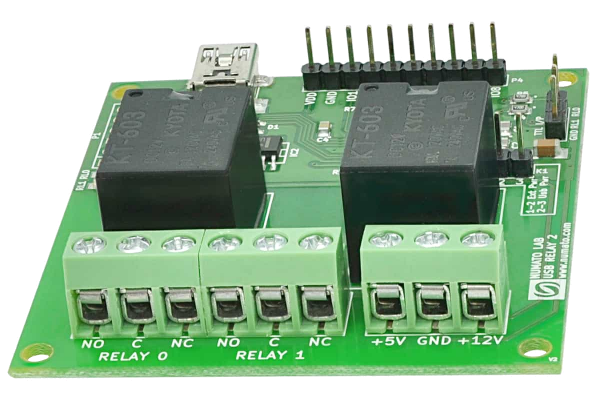
URMC2 2 Channel USB Relay Module is great for controlling your devices through USB without any USB protocol knowledge. This modules plugs in to your design seamlessly. Individual relay can be controlled by simple commands.

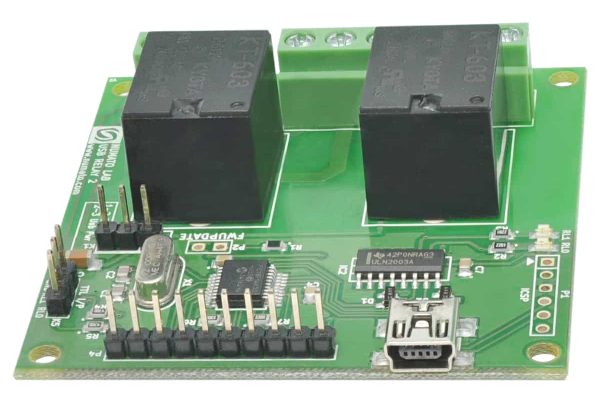
Numato's URMC2 2 Channel USB Relay Module provides exceptional value for money. It has two on board 12v DC relays that can switch up to 10A load.The relays are controlled by USB capable Microchip PIC Microcontroller (PIC18F14K50) and comes with built in firmware that supports simple commands to control relays and read relay status. The board, when attached to a PC/Laptop shows up as a serial port and all you need to control the board is a serial terminal application like HyperTerminal or Putty. This board can easily be controlled by writing simple serial port application in VC++, VB, VBA (Word, Excell etc), Perl, Python etc.

Supported Operating Systems:

Windows XP

Windows  Vista 32bit/64bit

Windows  7 32bit/64bit

Linux

Mac OS X


Downloads

Download user manual

Download Driver

Download Linux Test Program by Van Snyder

Download VB Express Test Program for Windows

Labview Driver Example by Keith Lampshire

Comments

Firmware

Maybe I missed it, but is the firmware source code available somewhere?

Re:Firmware

The firmware source is not available publicly due to some licensing restrictions. Please contact us to get a copy of source code.

Can't on,off Relay and LED on always

I wire 12V to board and then LED of relay 0 and 1 are on and can't to on and off relay.
How can fix it ?

Re:Can't on,off Relay and LED on always

Hi Bert, Would you please send a brief description of the problem along with wiring diagram to our tech support (mail ID is available on contact us page).

Relay module family

It would be a good idea to add a command which returns the number of relays present on the module so that generalized controlling software may query the card to determine how many "channels" can be supported. This helps the software to know how many relays to poll during IPL in situations where the software is activated after the relays have previously been set.

Example:

>relays

Response: 2 or 4 or 8 or 16

Right now, I'm forced to configure a line within an .INI file for the software telling it which of your modules the software is connected to.

COMMPORT=3
RELAYS=2

That is less than an optimal solution. The software should be able to determine the answer automatically.

Thank you for your consideration. And than you for such prompt shipping. Units arrive VERY quickly.

Re:Relay module family

Thanks for the suggestion. This mechanism looks very useful for everyone who wants to programmatically control the relay or GPIO boards. We will implement this in the next revision of the firmware. 

2 Channel USB Relay Module HP- vee gpio/adc
I'm using the 2 Channel USB Relay Module with HP-vee 9.2 ; usb emulating com3.
The board works properly cycling relays but the gpio / adc is not.

Using Hyperlink sending the "gpio read 2" or "adc read 2" I receive the expected response for analog 2.
Using the gpio/adc commands in HP-vee I'm receiving the sent request as the reply i.e.
write "gpio read 2", expected response 1 - 0; actual response "gpio read 2"

Also I have an issue of losing the com port if powered down then brought back up, I need to close Vee, open hyperlink communicate with the board, close it then I’m able to talk to it with Vee again. All the settings read write terminators appear to be the same from hyper link to Vee.

Any idea's why I'm not receiving the proper response or looks the com board?

Re: 2 Channel USB Relay Module HP- vee gpio/adc

Hi Bruce, The relay board will echo every character sent so that terminal users (HyperTerminal, Putty...) can see what they are typing. This fact has to be taken in to account when programming. After sending a command, when you read back the response, the command itself is returned first and then results follow. And also it is important to note that there is a newline character between the command and repsonse in the data returned. Care must be taken to not to consider newline as end of data.

The second problem is inherent to the USB CDC implementation in Windows. When a device is removed while it is kept in open state by an application the operating system looses track of it. Simply reattaching the device would not make it back working. Usually a reboot is required before the device can be used.

Hope this helps.

Make relays USB powered

Hi guys, can you make a version of this board where the relays are powered by USB? Yeah, I know you will have to add code to enumerate for higher USB current. It would be really helpful for me and other folks using it to switch lower voltages like 5V.

Re:Make relays USB powered

Yes, it should be possible. There are signal relays out there with very low coil current requirements. They can not switch high currents but still can do a decent job. I talked to the development team and they are willing to start with two models (two relays and four relays). If you have a wishlist of things you want see on the boards, please let me know, we will try our best to accomodate them. Thanks for the suggestion btw, we apprectiate it.

12V Power Requirements for Relays

What is the max current required by the 12V relays?

Re:12V Power Requirements for Relays

Th relays are rated for 30mA coil current at 12V. 

Board Dimentions

Can you please provide the L/W?

Re:Board Dimentions

Added dimensions to User Manual.

Relay control and GPIO

Do the relays share the io's with the data lines on the GPIO / Analogue header or are they separate? Or to put it another way can you separately control D0 to D7 and Relay1, Relay2.

Re:Relay control and GPIO

They are separate channels and can be controlled independently using gpio/adc commands.

Linux Driver?

Is there a Linux driver needed? The board shows up with lsusb:

Bus 002 Device 007: ID 04d8:000a Microchip Technology, Inc. CDC RS-232 Emulation Demo

but I am not seeing any device in /dev that looks like the board and I don't see a change to what's in /dev when I plug and unplug the board.

Re:Linux Driver?

Most popular Linux distributions come with the necessary driver out of the box. This may not be the case if your Linux kernel is customized. Connect the board to a machine with a standard Linux installation (Ubuntu/Fedora/SLES etc…) and confirm it works as expected. The board should show up in the /dev/ directory as a serial port with name similar to ttyx or USBttyx depending on the Linux distribution.


Do you have mac drivers and

Do you have mac drivers and examples?
What about Windows 7 examples? Hyperterminal does not come with Windows 7. A puttyTel example would help.

Thanks!

Re: Mac driver

Hi David,

This board does not require any driver on mac. Just connect the board to USB port and you are ready to go. We don't have any mac sample programs at this time but you should be able to use any terminal emulator to operate the board. It is true for Windows 7 too. Any terminal emulator like PUTTY can be used as easily as Hyperterminal. We will publish some tutorials on this soon. 

Tom